
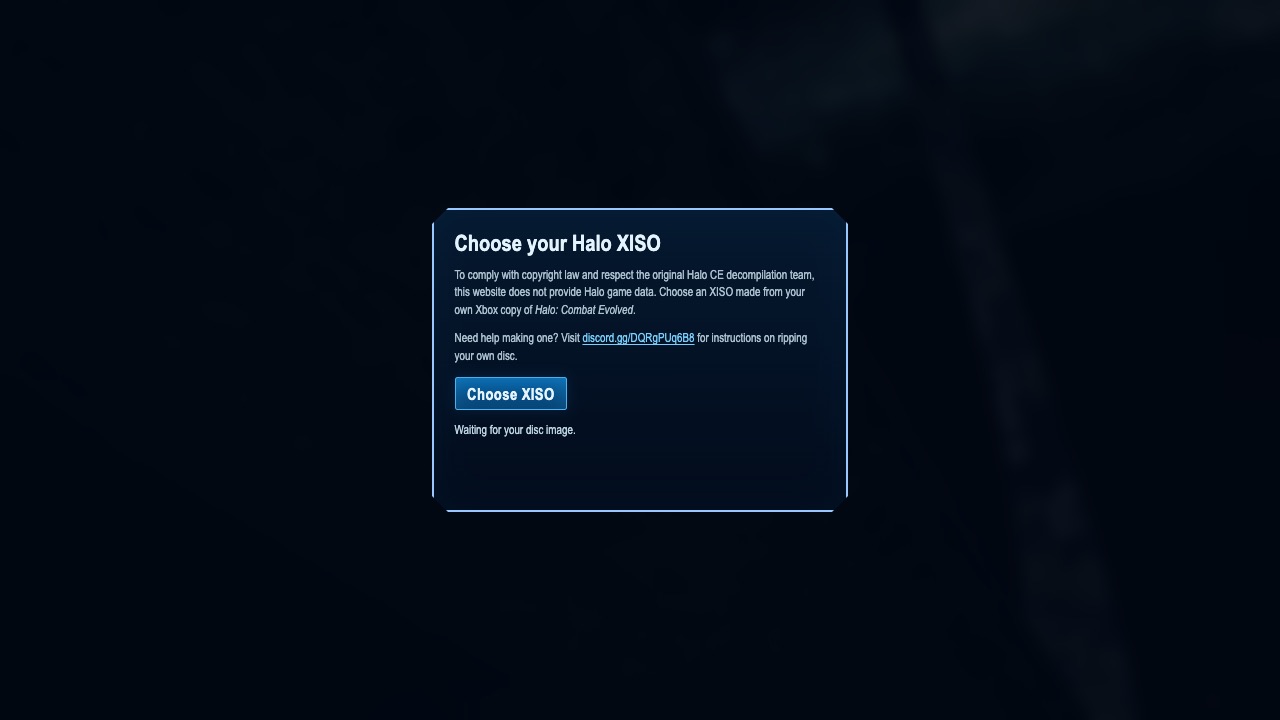
How the Halo CE browser engine works
Halo: Combat Evolved is the tenth entry in the Radiant Optimizer list. The linked page is a community browser project maintained outside Microsoft and Xbox. Its central requirement is clear: you must supply an XISO prepared from your own original-Xbox copy. The game data is not bundled with the browser engine.
That makes “Needs Files” more accurate than “play instantly.” This directory does not provide disc images, converted assets, or download mirrors. It also does not assume campaign, multiplayer, cutscenes, audio, saving, or controller behavior matches the original release. Follow the project’s live guide, because supported data formats and browser requirements can change as the engine develops.
The project says you must supply files from a copy you own. This directory does not provide, convert, or mirror commercial game data.
Set up Halo CE with your own Xbox XISO
- Read the project documentation first and confirm the exact XISO format it currently accepts.
- Prepare data only from a copy you own and keep the original and backup outside browser storage.
- Load the project in an updated browser with sufficient free memory. If import fails, recheck the documented format rather than downloading an unknown image.
The external destination is operated separately from Radiant Optimizer Games. A source link can change after our review date, so compare the hostname and current page identity with the notes above before interacting with it.
Halo CE files and browser requirements
- Game files
- The project requires a Halo Xbox XISO prepared from a copy you own. Game data is not included by this directory.
- Browser & device
- Desktop-oriented browser project. Current memory, browser, graphics, and controller support should be confirmed in the project guide.
- Account
- Information unavailable unless the external project explicitly says otherwise. This directory requires no account.
We do not host game data, provide download mirrors, or validate third-party asset packs. Follow the project’s current documentation and the license for your copy.
Halo CE controls and input evidence
Information unavailable. Follow the project’s current keyboard, mouse, or controller documentation after supplying owned data.
Halo CE browser and device compatibility
Desktop-oriented browser project. Current memory, browser, graphics, and controller support should be confirmed in the project guide.
In general, WebAssembly and WebGL projects work best in a current desktop browser with hardware acceleration and enough free memory. That general baseline is not evidence that this specific entry works on Chrome, Edge, Firefox, Safari, a Chromebook, or a phone. Where the project does not document support, this guide says “Information unavailable.”
If a page loads but the game does not, use the troubleshooting checklist to separate a changed host, blocked graphics, missing files, storage limits, and a genuinely broken build.
Halo CE current limitations
- The browser engine does not include commercial Halo game data.
- An incompatible or incorrectly prepared XISO can prevent loading.
- This is a community project, not an official Microsoft or Xbox browser release.
These notes describe the project interface evidence reviewed on October 10, 2026. They are not a permanent uptime promise, malware scan, licensing opinion, or full gameplay review.