
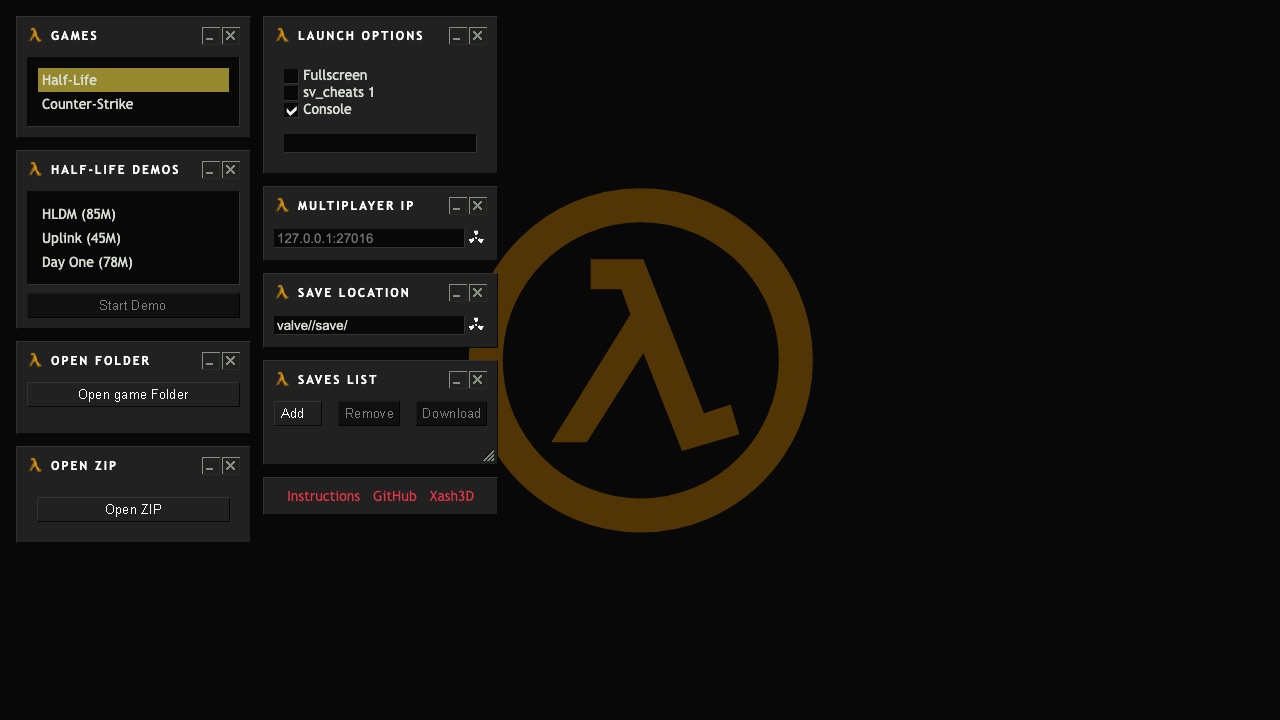
How WebXash runs Half-Life and CS 1.6 in a browser
Half-Life / CS 1.6 is entry twenty-two in the source list and points to the webXash project. Its repository is explicit: visitors must provide their own valve or cstrike files, either from a folder or a supported archive. The browser engine is not a source of commercial game data.
The project documents keyboard and mouse use, IndexedDB-backed browser storage, and a multiplayer path that needs a compatible WebSocket server. It also says mobile devices are not suitable. These requirements make Needs Files the correct status and explain why a generic “play CS 1.6 instantly” description would be misleading.
The project says you must supply files from a copy you own. This directory does not provide, convert, or mirror commercial game data.
Load your own valve or cstrike files into WebXash
- Prepare the valve or cstrike folder from a copy you own and follow the repository’s current folder or ZIP import structure.
- Use a desktop browser with keyboard and mouse, and allow enough persistent site storage for the imported files and saves.
- For multiplayer, use only a server setup documented as compatible with the project’s WebSocket transport.
The external destination is operated separately from Radiant Optimizer Games. A source link can change after our review date, so compare the hostname and current page identity with the notes above before interacting with it.
Half-Life / CS 1.6 files and browser requirements
- Game files
- Your own valve or cstrike game folder, loaded as a folder or ZIP according to the project documentation.
- Browser & device
- Keyboard and mouse desktop use is documented. The repository says mobile devices are not suitable.
- Account
- Information unavailable unless the external project explicitly says otherwise. This directory requires no account.
We do not host game data, provide download mirrors, or validate third-party asset packs. Follow the project’s current documentation and the license for your copy.
Half-Life / CS 1.6 controls and input evidence
Keyboard and mouse. Exact in-game bindings follow the imported game data and project settings.
Half-Life / CS 1.6 browser and device compatibility
Keyboard and mouse desktop use is documented. The repository says mobile devices are not suitable.
In general, WebAssembly and WebGL projects work best in a current desktop browser with hardware acceleration and enough free memory. That general baseline is not evidence that this specific entry works on Chrome, Edge, Firefox, Safari, a Chromebook, or a phone. Where the project does not document support, this guide says “Information unavailable.”
If a page loads but the game does not, use the troubleshooting checklist to separate a changed host, blocked graphics, missing files, storage limits, and a genuinely broken build.
Half-Life / CS 1.6 current limitations
- No commercial Half-Life or Counter-Strike data is included by this directory.
- Mobile browsers are not a supported target according to the project documentation.
- Multiplayer requires a compatible dedicated WebSocket server rather than an ordinary legacy server.
These notes describe the project interface evidence reviewed on October 11, 2026. They are not a permanent uptime promise, malware scan, licensing opinion, or full gameplay review.